A focused Performance page, pracc executes and your own team navigation
Performance is rebuilt around a focus board, each map now reads your executes, managers can arrange the team's sidebar, and both themes take the kogni.pro palette.
Version 2.9.3 rebuilds Performance so the numbers that matter come first. It also adds an Executes tab that reads how your team attacks and defends a site, and lets managers arrange the sidebar for the whole team. Both themes move to the kogni.pro palette, and Hush joins the Strategy Board.
Performance
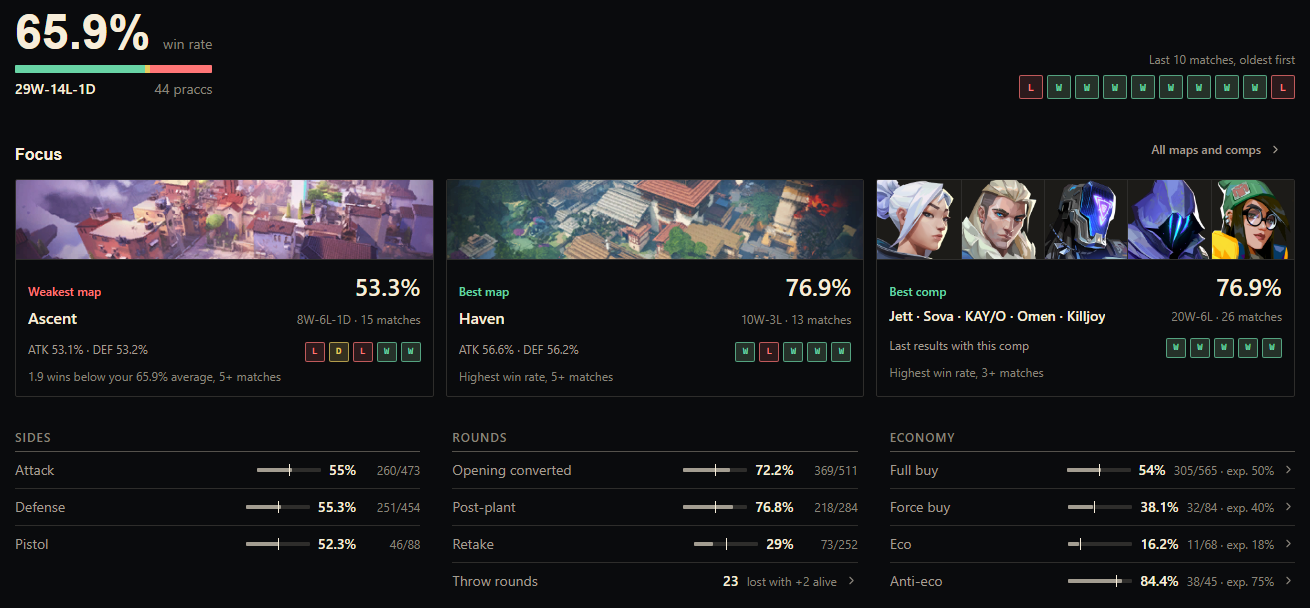
- Focus board (Performance > Overview): the page now reads in this order:
- your win rate, record and last 10 results;
- your weakest map, best map and best comp, with map art and agent portraits;
- sides, rounds and economy, measured against 50% and the expected buy rates;
- your players with their agents and ACS trend, and your recent praccs.
Every pick shows its rule and sample. Below the minimum sample it says "Not enough data" instead of picking a comp from one match.
- Compact layout:
- content sits in a centered column instead of stretching across wide windows;
- small values no longer sit alone in huge tiles;
- Opening, Economy and Post-Plant / Retake read as tables and short meters, and each number appears once;
- low-sample maps are tagged and listed last.
- Fewer tabs: Performance has 7 tabs instead of 9, and old links and pins still work.
- Damage & Utility is now a Players view.
- Objective timings are on Rounds > Post-Plant / Retake.
- Review Lab is now Review, with the review queue, Throw Rounds and Data Coverage.
- Trends is the Leaderboard's Trend view, and KDA is a Leaderboard column.
- Intelligence moved to Prep Room.
- Cleaner numbers:
- Economy hides ROI figures when your matches don't track them, instead of showing zeros.
- Numbers use your language's thousands separator.
- Percentages are rounded.
- Faster to open: the page makes one fewer request on load. On a first visit that request could hold the others back for about 3 seconds.
Executes
Performance > Maps > open a map > Executes, where your plan includes advanced analytics.
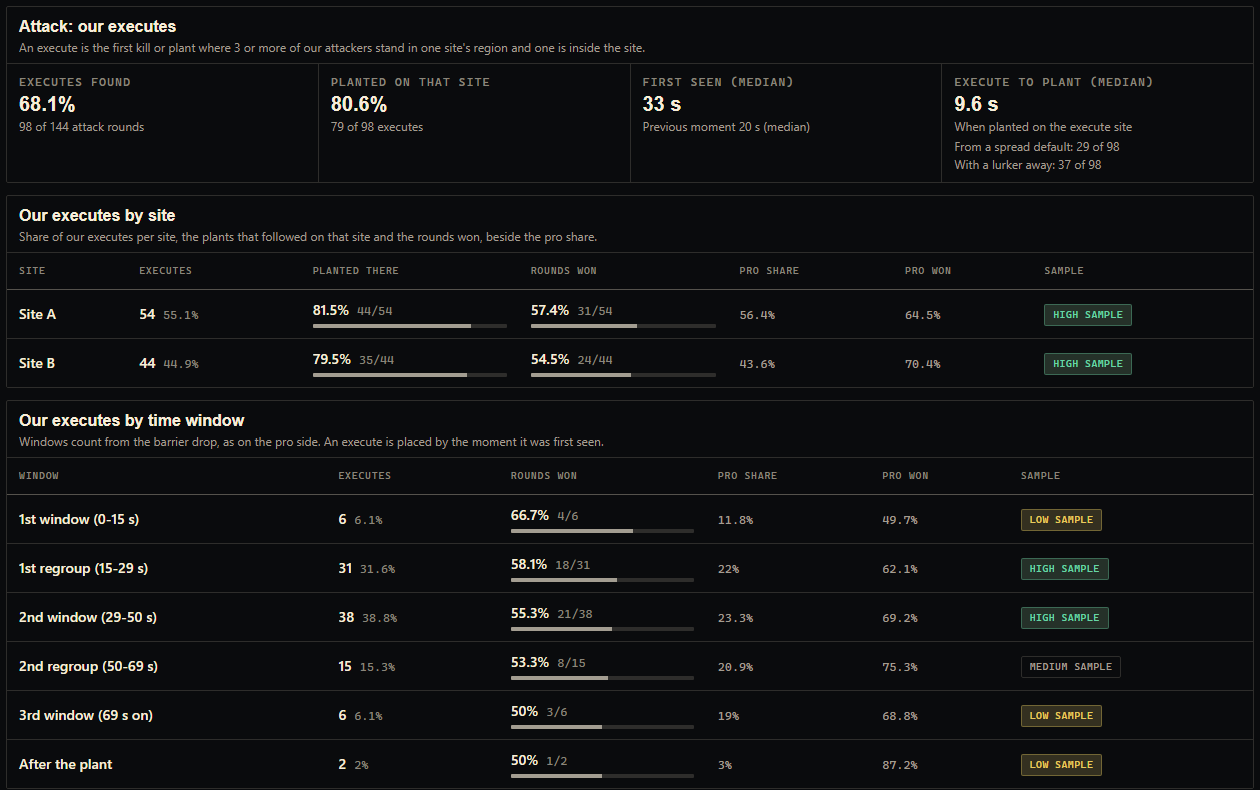
- Attack: covers these reads:
- how often your attack rounds turn into an execute;
- how often you plant on the execute site;
- when the execute is first seen, and how fast the plant follows.
Ledgers break executes down by site, by the pro time windows and by timing (fast, standard, late), and compare rounds won with and without a lurker.
- Bomb: where your players hold after a plant, how rounds end after the opponent plants, and your retakes by players alive (us v them).
- Defense: covers these reads:
- the opponent's executes by site;
- your setup at first contact (stack or spread);
- sites held by a lone defender;
- how fast rotations arrive.
Rotation counts are lower bounds, and the page says so.
- From your match data: every number comes from player positions at each kill, plant and defuse, and shows its sample. The VCT pro reference sits beside your numbers and is never mixed into them.
Team navigation
- Features for organization teams (Team Settings > Product setup > Features): teams inside an organization can now choose which pages appear. A page your team hid can be switched back on, instead of showing as unavailable.
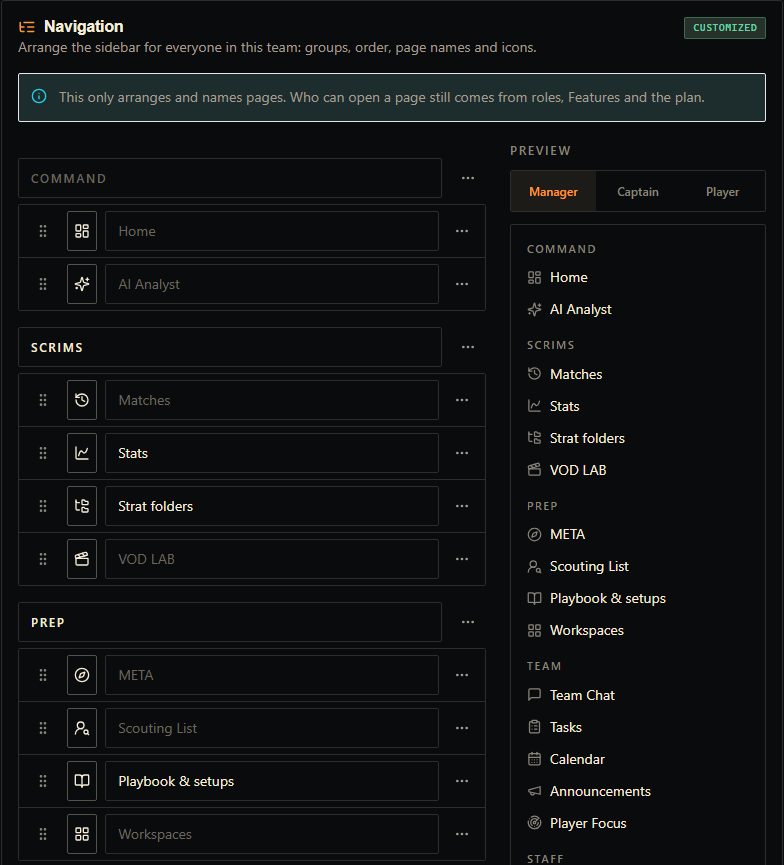
- Navigation (Team Settings > Product setup > Navigation): arrange the sidebar for the whole team.
- Rename and reorder groups and pages.
- Add your own groups.
- Pick page icons.
- Preview the sidebar as Manager, Captain or Player.
Custom page names also show in tabs, the window title and the page header. Navigation never changes who can open a page.
Themes
- kogni.pro palette:
- The Dark Theme now puts cream text and warm lines on the website's black.
- The light Pudim Cream theme puts ink text and burnt-orange actions on the site's paper.
- Warnings have their own amber, so orange only means an action or a selection.
Strategy Board
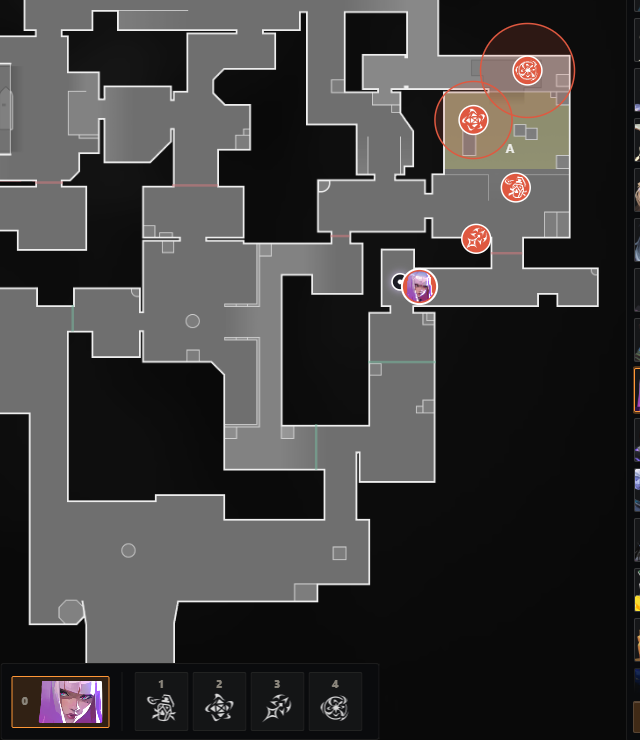
- Hush (Strategy Board): Hush is available with all four abilities, including the Displacement and Suspension areas.
- New agents: boards now pick up a newly released agent right away instead of hiding it. Tokens for an agent your board doesn't know yet are kept instead of disappearing.
Thanks to everyone who sent feedback on Discord. Keep it coming.